
Megarip
Versatile, stand-alone RIP and print solution
Megarip is a versatile, stand-alone RIP and print solution for producing fine art photography, vibrant photo canvas, durable outdoor display, striking screen prints, and vivid textiles.
At Serendipity, we know you need a smart, flexible way to submit, manage and layout your jobs for print to any media, at any size.
We know you need software that expands to give you the processing power to handle big jobs and meet tight deadlines.
Above all, we know you need a precise colour management system that produces images with the same colour, depth and dynamic range captured on camera, or to assure your clients their branding is in safe hands.
Megarip is built for photographers, designers and print professionals who need consistent, high-quality prints from a single desktop printer, or a fleet of large format inkjet printers.
Get The Most Out Of Your Printer

Colour Management
Megarip features an ICC v4.2 compliant colour management system that ensures the colour fidelity and consistency of your printed images.
- True 16-bit processing enhances colour depth and control.
- Monitor calibration provides colour-accurate previews of jobs before commiting them to print.
- Advanced linearisation calibrates ink channels and grey-balances your printer.
- Black Point Compensation converts the full dynamic range of your images to the printer's colour gamut.

Workflow
Megarip understands a wide range of file formats including TIFF, JPEG, PNG, Photoshop PSD, PDF and postscript.
- Submit or preview files straight from your desktop with integrated menu options.
- Place jobs into Drop Folders for automatic processing.
- Submit jobs directly from any application with Megarip Pro.
- Use Jobtickets to control colour, size, effects and other print options across one or more printers. Save them with your jobs for exact-match reprints.
- Display, monitor and manage your jobs during processing and printing.

Studio & Nesting
Megarip features powerful and easy to use Studio application to place images and plan print layouts.
- 'Canvas Wrap' prints any image ready for professional mounting with gallery, mirrored or coloured edges and back fold.
- Use Tiling to create billboards of any size.
- Step-and-repeat allows for easy printing large runs of single or grouped images, or to create textile patterns of any size.
Screen Printing
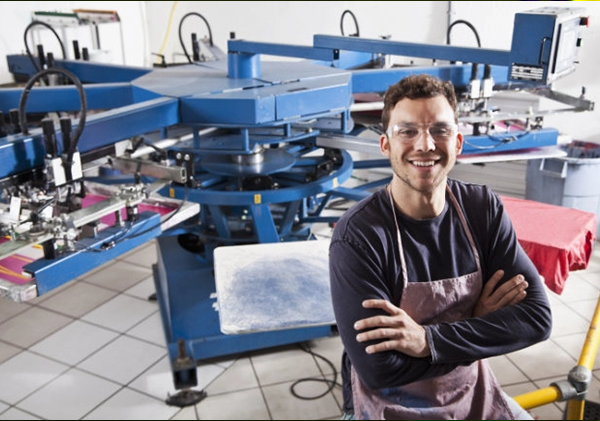
Megarip can function as an affordable inkjet computer-to-plate (CTP) system for producing short-run press plates.
- Screen Print mode automatically separates files into individual process and spot ink plates for film printing.
- Print separations using a selected printer ink. Overlay additional inks to increase density or alter the hue of the output film.
- Customise the screening method, dot shape, screen angle and frequency for each channel.
- Supercell Mode produces better dot shape and sharp high-quality halftone output.
Printer Control
Megarip uses intelligent ink limiting to achieve optimal colour densities, while consuming the least amount of ink.
- Paper profiles can be individually tailored to specific media. Ink limiting and dot selection save on ink use without compromising colour density.
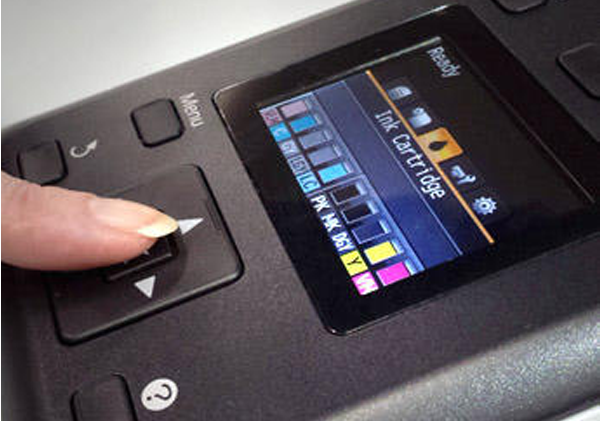
- Monitor your printer's current status, ink levels and remaining media.
- Load Balancing efficiently manages your output across multiple printers.
- N-Colour Mode allows textile designers to customise and manage alternate printer ink sets.
- Support for CMYK, Black and White, RGB and multi-colour print modes.
- Download printer presets via a built-in Media Catalogue to get you up and printing fast.

Unlimited Seats, Unlimited Printers
Megarip is a Server/Client based system supporting an unlimited number of local or networked clients at no additional cost.
- Client interface settings can be individualised or shared with other users.
- A Secure Mode option allows selective user access to functions and job information.
- Your software includes a printer driver suite that allows it to run an unlimited number of your chosen brand of printer.
Consultation Form
Ready to Transform Your Business?
Schedule a Free ConsultationFill out the form below and our team will contact you within 24 hours.